
You only find out the day after
Most reports show yesterday's numbers. By the time you see that calls went unanswered at 9am, the callers are already gone and the chance to add cover has passed.
Voxbi analytics records, measures, and presents data about every business call: how many came in, how long they lasted, how many went unanswered, and how your team is performing. A live dashboard shows queues, wait times, and agents as they change, while historical reports and CSV or PDF exports let you compare any period and act on it. You read it without technical knowledge, and you run it yourself.
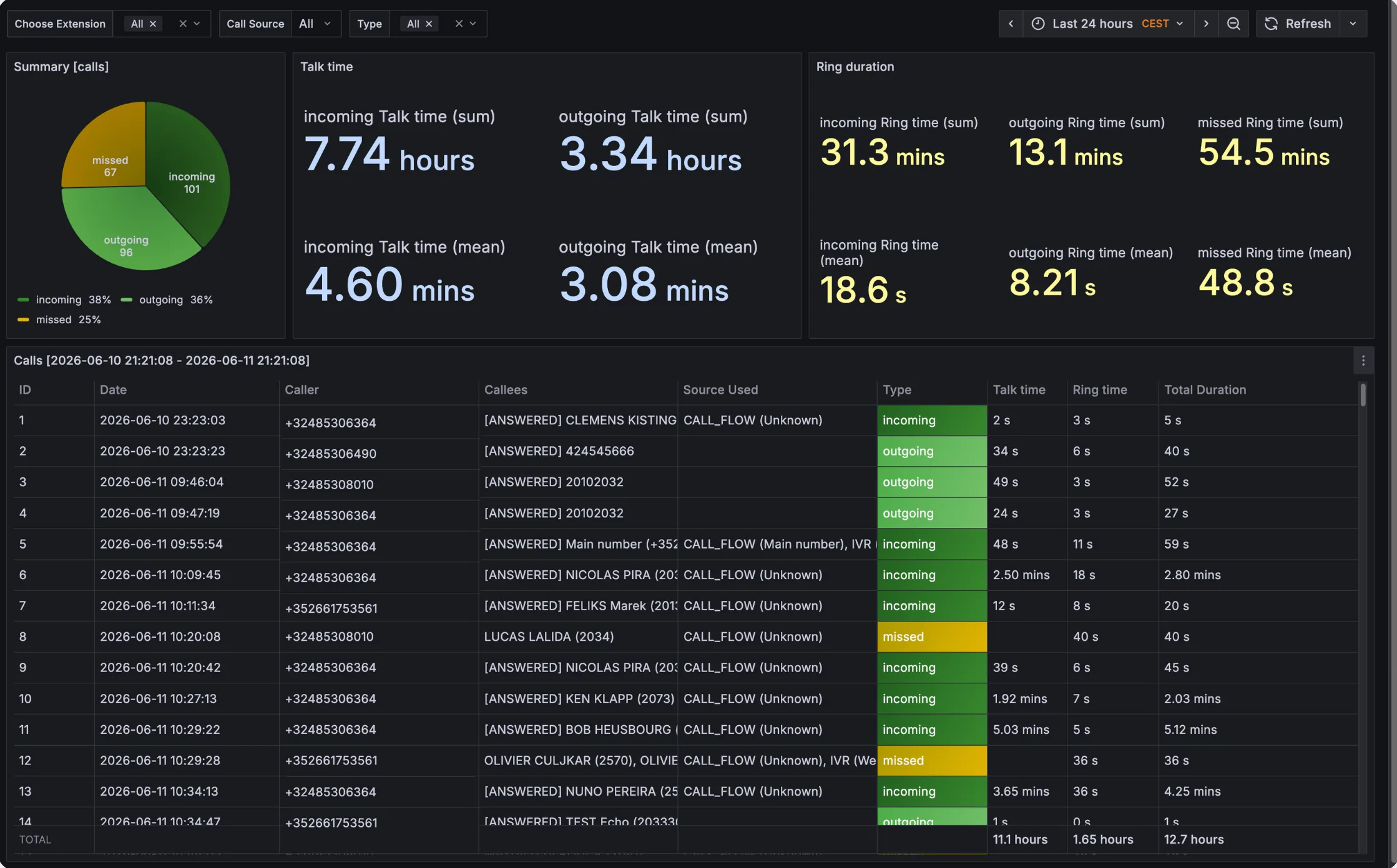
Most reports show yesterday's numbers. By the time you see that calls went unanswered at 9am, the callers are already gone and the chance to add cover has passed.
One headline number for the whole business looks fine while a single queue quietly drops a third of its calls. Without per-queue and per-extension detail, you cannot see where it actually breaks.
On many systems a manager who wants a report asks IT or the provider and waits. The data exists, but you do not control it, so staffing decisions run on guesswork instead of evidence.
The same dashboard your team works in shows queues filling and draining, who is on a call, and how long the oldest caller has waited. When a queue backs up at lunch, you move cover while it is still happening. Real-time monitoring is built in, not a separate product.
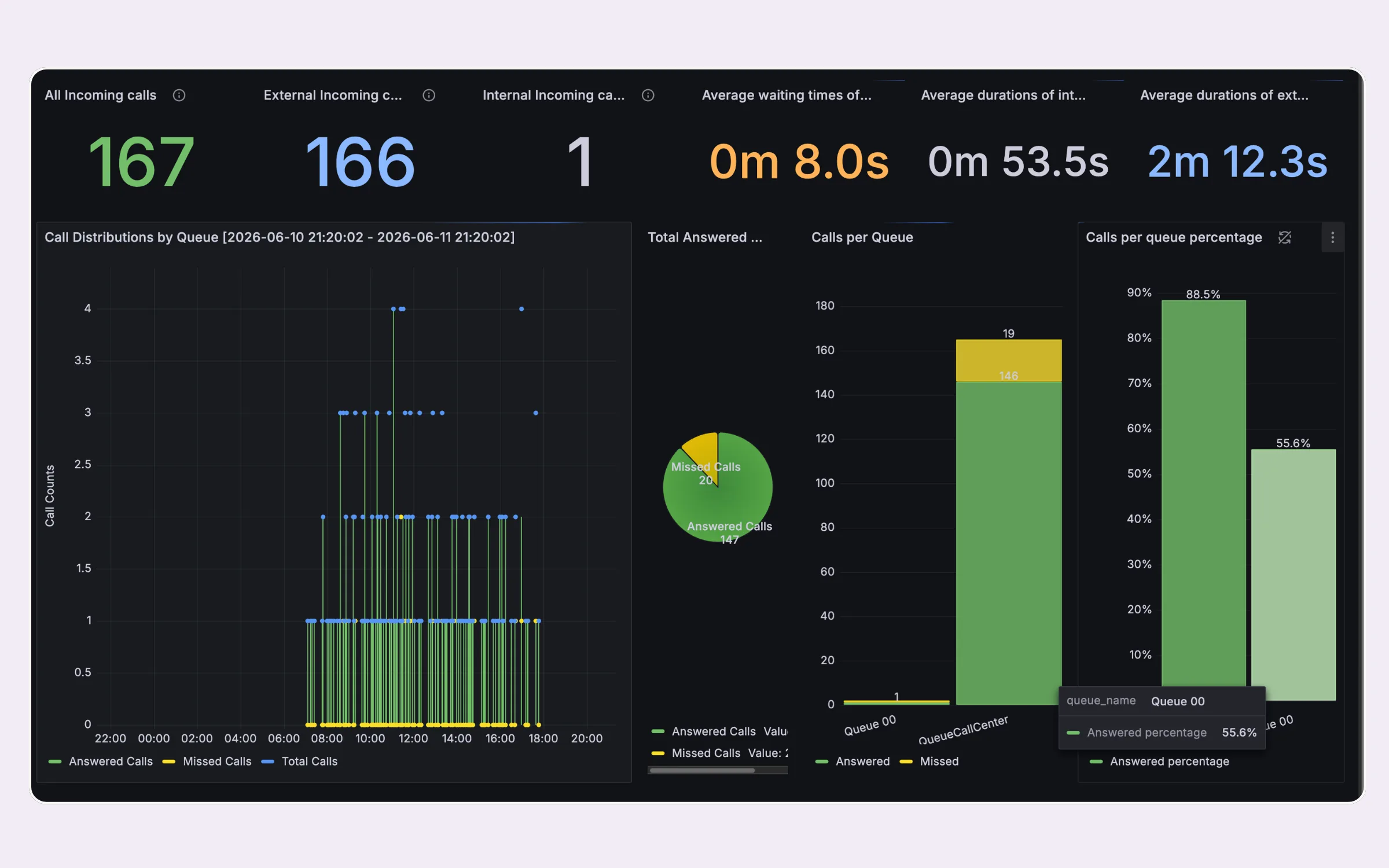
Voxbi records the time, duration, caller number, destination, and outcome of every call on its own. Nothing to switch on: data collection starts the day your system goes live.
Records flow into a real-time web dashboard. You see calls in queue, agents available, and the longest wait as they change second by second, not after the fact.
Slice by queue, team, location, or time period. Spot peak hours, busy queues, and underused extensions, and drill from the whole company down to one extension in under a minute.
Download CSV for analysis, share a PDF with management, or set daily and weekly email digests so the right people stay informed without ever logging in.
Live call activity, queues filling, agents talking, and hold times updating second by second, so you can act during the day instead of the day after.
Day, week, and month views. Compare this Tuesday to last month's average, and see whether a change you made actually moved the numbers.
Split sales, support, and reception, then drill into individual extensions. Company averages hide the problem queue, so you go straight to where it is.
Daily or weekly summaries land in managers' inboxes automatically. No login, no tab switching, no one forgetting to check the numbers.
Listen in on a live call to coach a new hire, check call quality, and raise the standard of every conversation, with clear access controls around who can.
Track the full lifecycle of one call end to end: initiation, transfers, holds, comments, and assignments, laid out as a single detailed timeline.
Voxbi summarises each call and adds relevant tags, so you can track which topics come up most without listening back to every recording. Cross-link to AI for the full transcription story.
Download CSV and PDF without IT help, or push the data on to Power BI, Looker Studio, or your CRM dashboard to sit beside the rest of your reporting.
The phone is often your busiest channel and your darkest one. Analytics turns it into evidence you can act on and defend.
See the exact hours calls go unanswered, add cover where the gap really is, and call repeat missed numbers back fast instead of losing them.
Real data for performance reviews, so you spot workload imbalance and reward the quiet high performers, not only the loudest. Use it with clear HR and GDPR boundaries.
Real call volume instead of a hunch. Show management when cover is needed and justify hiring, cross-training, or cutbacks with numbers, not opinions.
Most cloud PBXs report on calls. The difference is whether you see it live, can drill into it yourself, and know where it is hosted.
Voxbi is very user-friendly for end users, while still letting us implement more advanced configurations centrally.
We have been able to expand across the entire European Union and even internationally without ever worrying about communication costs or technical constraints.
A real-time view lets you react during the day, not the day after. Calls in queue, agents available, and the longest wait should all refresh on their own, continuously.
Group data hides individual issues. You should move from company to queue to a single extension on the same dashboard in under a minute, without exporting first.
You should pull CSV for analysis and PDF for sharing without asking IT. If a routine report needs a vendor ticket, you do not really control your own numbers.
Most platforms offer the same report families but gate scheduled digests or longer history behind higher plans. Check what is included at the tier you are actually buying.
No. Analytics collection starts automatically when your Voxbi system goes live. You do not enable it separately. All you set up is who has access and which reports to schedule.
Yes. The live dashboard shows calls in queue, agents available, and the longest wait updating in real time. Real-time monitoring is part of analytics, so you react during the day rather than reading a report the morning after.
Voxbi retains call records so you can compare days, weeks, and months. Retention windows and longer-term storage depend on your plan, so check the period you need against your tier before you commit.
Yes. Schedule daily or weekly digests that arrive in managers' inboxes without anyone logging in. Confirm scheduled digests are included at the plan level you are buying, not only the top tier.
Yes. Call logs contain personal data, including caller numbers and timestamps. Voxbi is hosted in the EU and provides a data processing agreement (DPA), so you can set a lawful basis, inform callers, and keep data only as long as you need it.
Yes. One Voxbi platform covers every site, so you filter by location, site, or department from the same dashboard. That suits teams spread across offices and remote staff.
Yes. Export CSV and PDF yourself, or push call data on to Power BI, Looker Studio, or your CRM dashboard so it sits alongside the rest of your reporting.
Start a free trial and watch your queues and reports on your real setup. No credit card required.