
Desk phones tie people to a desk
Hardware has to be bought, cabled, and replaced, and it only works where it is plugged in. The moment someone works from home or travels, the office number stops following them.
The Voxbi apps turn the devices your team already has into one business phone. Sign in once and the same extension rings in a browser tab, on the Windows or macOS desktop, and on iOS and Android, all carrying your business number. Calls run over the internet, so there is no desk phone to buy and no personal number to hand out.
Hardware has to be bought, cabled, and replaced, and it only works where it is plugged in. The moment someone works from home or travels, the office number stops following them.
When staff take work calls on their own phone, clients save the private mobile and call it directly. The business loses the call record, and the number walks out the door when the person leaves.
Onboarding a hire means ordering a phone and waiting for it to ship, and offboarding means chasing the device back. Provisioning a line should be a setting you change, not a logistics task.
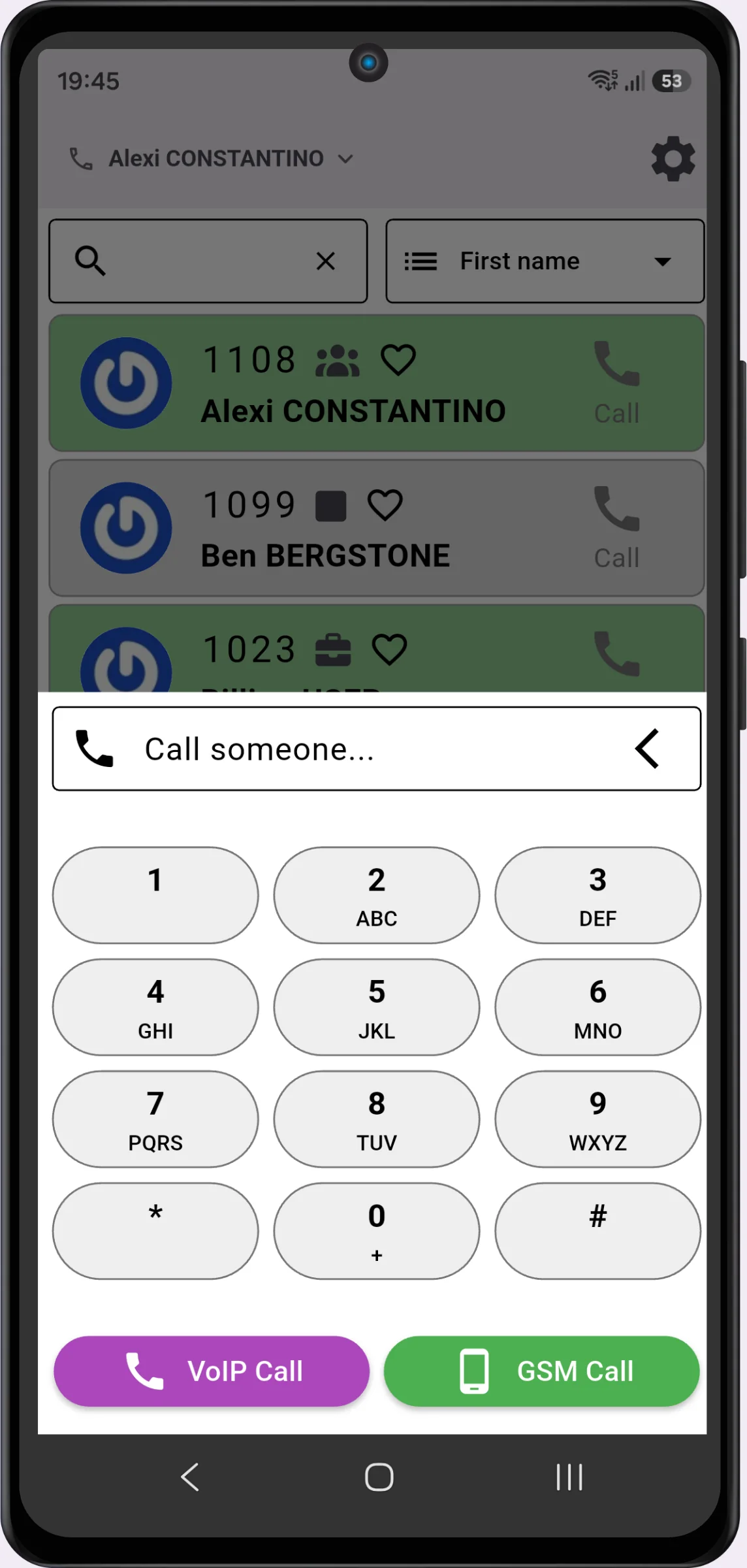
Download the Voxbi app on a laptop, desktop, or phone, or just open it in a browser tab. One sign-in connects the device to your cloud PBX. No special hardware needed.
Each app stays connected and ready to ring. You decide from the dashboard which devices ring together, so a desktop and a mobile can answer the same extension.
Incoming calls show the business caller ID, and outbound calls display your office number. The personal mobile number stays private on every call, on Wi-Fi or mobile data.
Transfer, hold, conference, voicemail, the company directory, and presence work the same everywhere. Answer on whichever device is closest and the rest stop ringing instantly.
Browser, Windows, macOS, iOS, and Android all run the same extension. Sign in once and your number, contacts, and settings follow you to whichever device you pick up.
A call to your number can ring desk phone, desktop, and mobile together. The first device to answer takes the call and the others stop ringing, with no manual handoff.
Outbound calls from the mobile app show your business number, not the staff member's personal one. The business keeps the relationship and the call history, wherever the call is taken.
Dial, answer, transfer, hold, conference, and voicemail all live in the app, exactly like a desk phone. Nothing is left behind when someone leaves their desk.
See who is available before you transfer, reach colleagues from the shared directory, and set your own status so calls only ring you when you can answer.
Calls use modern HD codecs over Wi-Fi, 4G, or 5G, so quality holds up in the office and in the field. A headset is all the extra kit anyone needs.
Putting the phone in software changes the economics and the reach of your phone system.
There are no desk phones to purchase or replace, and no cabling or PoE switches to maintain. A device your team already owns plus a headset is the whole kit.
Remote and travelling staff stay reachable on the office number across the EU. The same extension works from home, on the road, or at a second site.
A new hire is an app install and a sign-in, not a hardware order. When someone leaves, you revoke their access instantly from the dashboard and the line goes with them.
Most cloud PBXs offer an app. The difference is the reach you get, what it runs on, and where the data sits.
Voxbi is very user-friendly for end users, while still letting us implement more advanced configurations centrally.
We have been able to expand across the entire European Union and even internationally without ever worrying about communication costs or technical constraints.
Some apps are built and supported by the PBX vendor; others are standalone SIP clients you point at any system. Voxbi ships its own apps and also works with standard SIP softphones, so you are not locked into one client.
Try the app on 4G and 5G, not only Wi-Fi, and ask about HD codec support such as Opus. Poor codecs are where mobile call quality falls apart in the field.
Transfer, hold, conference, and voicemail should behave the same on every device. Staff should not relearn the app or lose a feature mid-call when they switch from desktop to phone.
Look for TLS on signalling and SRTP on audio, and confirm where the platform runs. Voxbi encrypts calls and is hosted in the EU under GDPR and the EU AI Act, so call data stays in Europe.
No. A device your team already owns is enough: a laptop, desktop, or smartphone running the Voxbi app, or just a browser tab. A headset with a microphone improves comfort on longer calls but is not required.
Yes. A single extension can ring on a desktop and a mobile at the same time. The first device to answer takes the call and the others stop ringing instantly, with no manual action.
No. Calls made from the mobile app show your business number, not your personal one, on Wi-Fi and on mobile data. The business keeps the call record and the client relationship.
Yes, anywhere there is an internet connection. Calls run over Wi-Fi, 4G, or 5G, so the same extension works while travelling inside or outside the EU. Roaming charges do not apply to the call itself.
Your number and settings live in the cloud PBX, not on the device. Install the app on a new phone, sign in, and everything is restored. There is no SIM transfer or number porting to do.
The Voxbi apps run in a web browser on any computer, as a Windows and macOS desktop app, and as native iOS and Android apps. Standard SIP softphones can also connect if you prefer a third-party client.
Yes. Voxbi encrypts signalling with TLS and audio with SRTP, and the platform is hosted in the EU under GDPR and the EU AI Act, so call data stays in Europe.
In minutes. Adding a user is an app install and a sign-in rather than a hardware order, and removing one is a single change in the dashboard that revokes their access immediately.
Start a free trial and take a call in a browser, on the desktop, and on your phone. No credit card required.